Hygo changelog
16.4.0
🌱 New Season System
HYGO is evolving to better reflect how agricultural campaigns are actually organized.
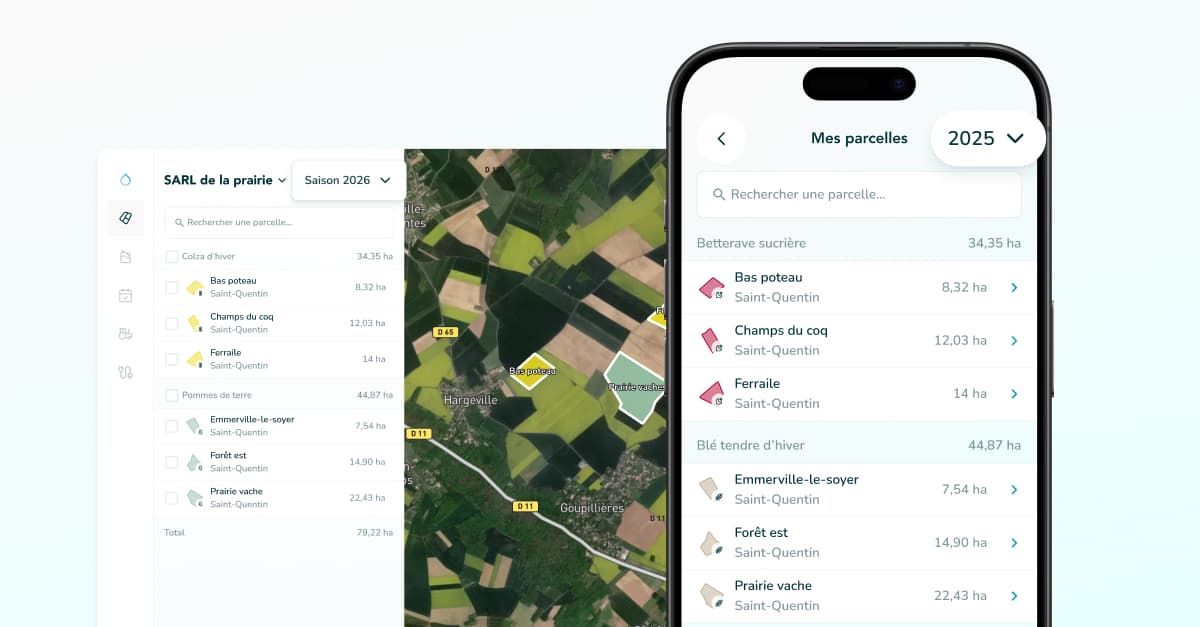
With this update, your fields and operations are now organized by crop season, letting you better track your history across campaigns.
Previously, the season system worked mainly as a calendar filter between September and September.
From now on, seasons are directly linked to your fields and their crop rotation.
HYGO organizes data based on the crops planted in your fields — for a much more coherent view of your agricultural campaigns.
🌾 How a season now works in HYGO
When you create a field:
it is linked to the season you selected
planting and harvest dates are automatically suggested based on the chosen crop
These dates structure the crop season and organize the field's operations. They remain editable if needed.
⚠️ If you already had fields in HYGO
No data has been lost. HYGO analyzed your existing operations, identified corresponding crop seasons, and repositioned your fields in the most relevant past seasons. Your full historical traceability is preserved.
🗺️ Redesigned Field Manager
The "My Fields" screen and dashboard manager have been completely redesigned:
New vertical sidebar for smoother navigation
Unified interface between the mobile app and dashboard
Confirmation modals before any modification or deletion
Display of total hectares per crop
✂️ New Field Features
Field splitting: divide a field directly from the manager
Duplication: clone a field in a few clicks
Multi-selection on the app: act on multiple fields at once
Simplified Smag import: no more matching screen, already validated fields are auto-detected
📤 Campaign Export
The export is now aligned with crop seasons, consistent with the rest of the application.
📦 Inventory
Price unit automatically adapts to the country's currency
Fixes: comma display and correct handling of today's date in calculations
🐛 Bug Fixes
Fixed broken links in Smag connected tools
Account recreation with a deleted email address is now possible again
Fixed an Optimize subscription incorrectly created after deleting a Trial account